Design
L & U Shapes, Night Mode, and Sharper AI Images!
Our biggest design update yet is live! Here’s what’s new, most important first:
- L- and U-shaped covers
- Faster AI images with more attention to detail
- Night mode
- Place fans and lights anywhere
- Curved lattice corners
- Faster loading, especially on mobile
- Clearer shadows and 3D
- A re-aligned menu
1. L- and U-shaped covers
Patio3D is no longer limited to rectangles. Under Choose your shape, pick rectangular, L-shaped (deeper on the left or the right), or U-shaped.
Each section gets its own size and, with Mixed roof, can even get its own roof type.
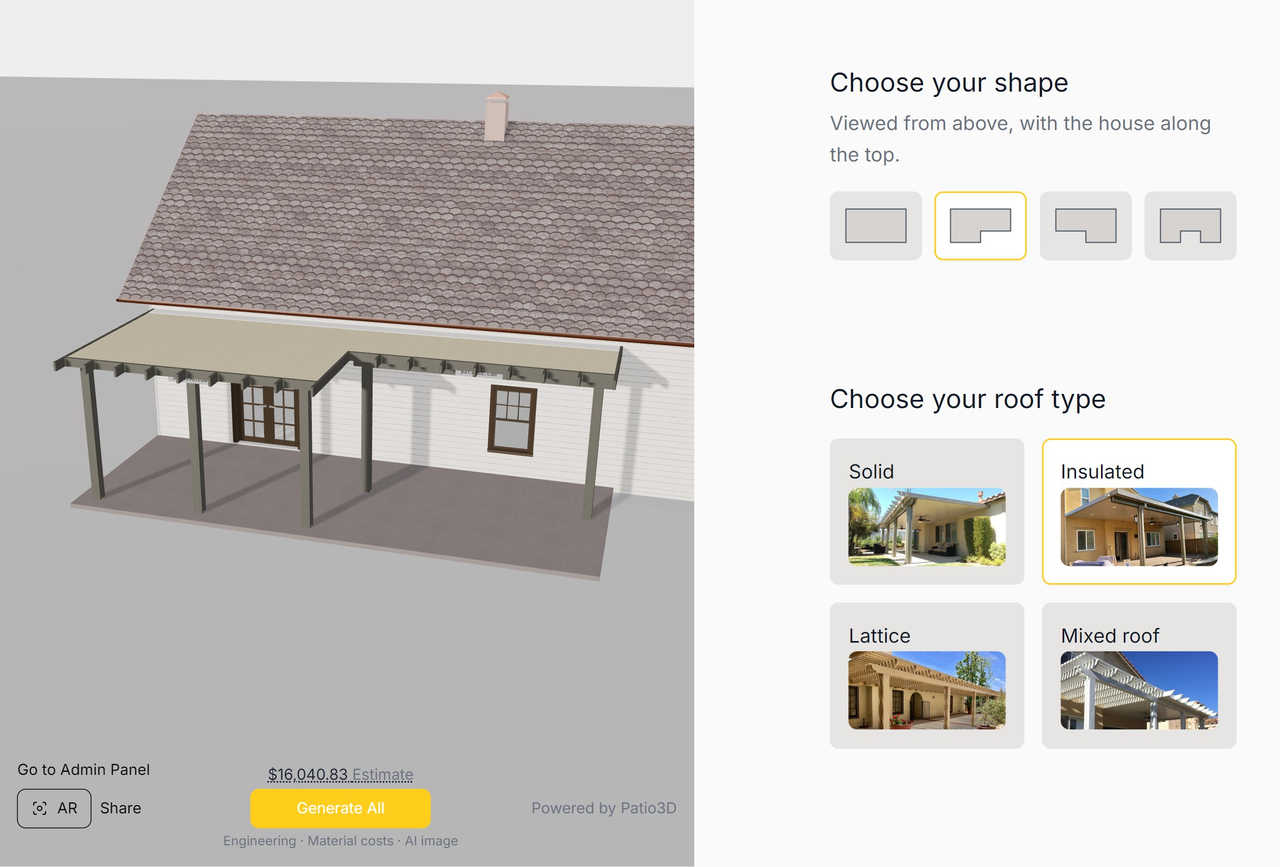
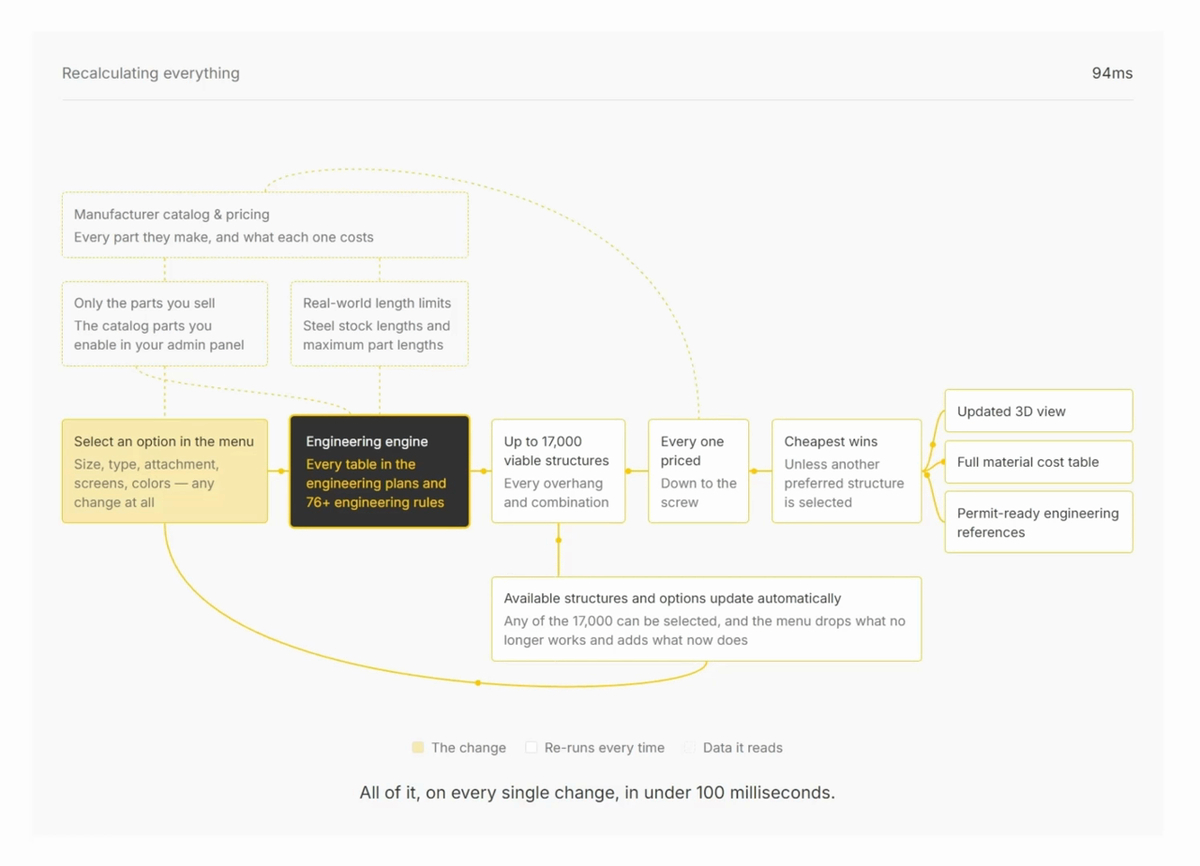
Engineering, the estimate, and the material list still update with every change, section by section.
2. Faster AI images with more attention to detail
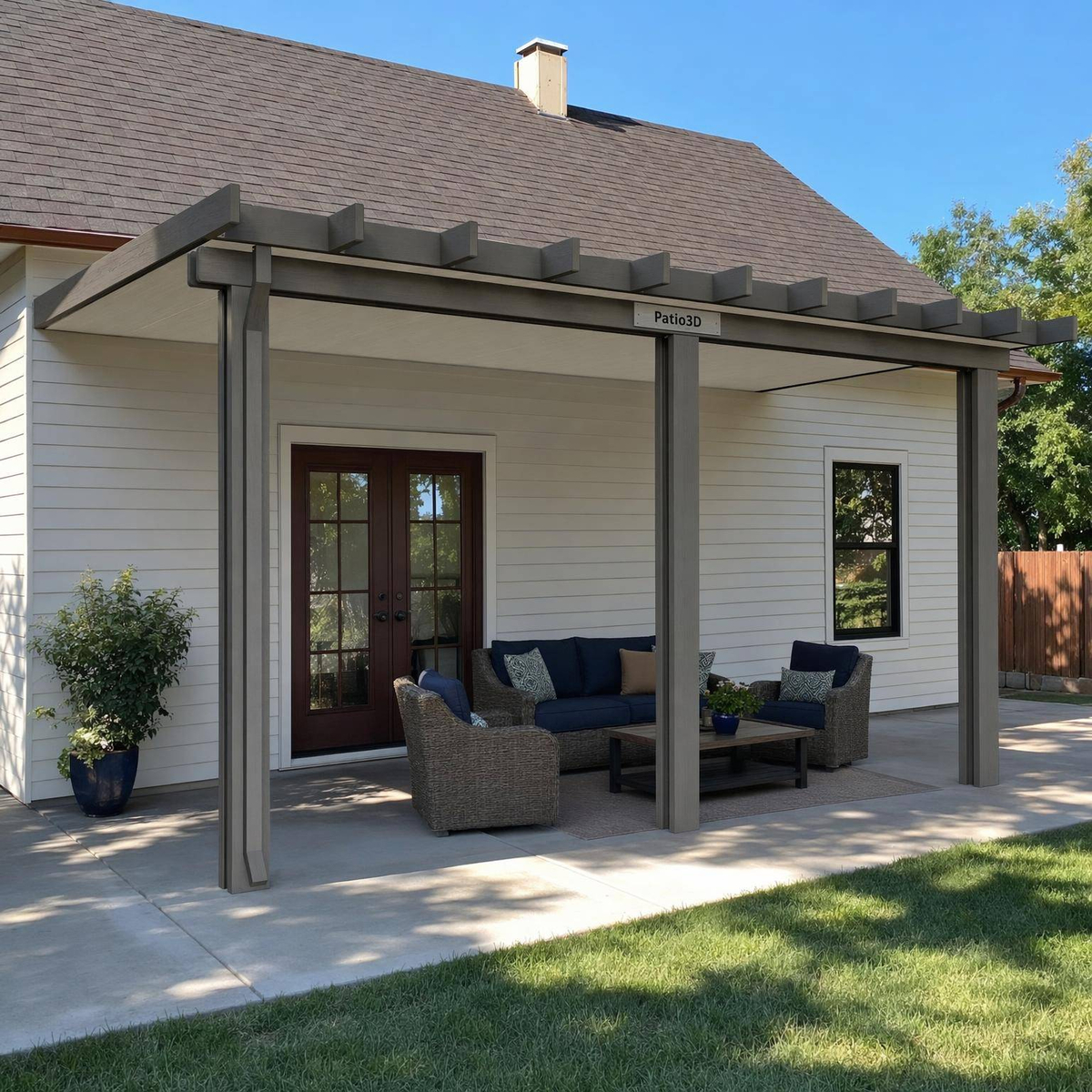
AI images now come back faster and stay truer to the design. They keep the exact cover your customer built: the same parts, the same colors, in the same places.
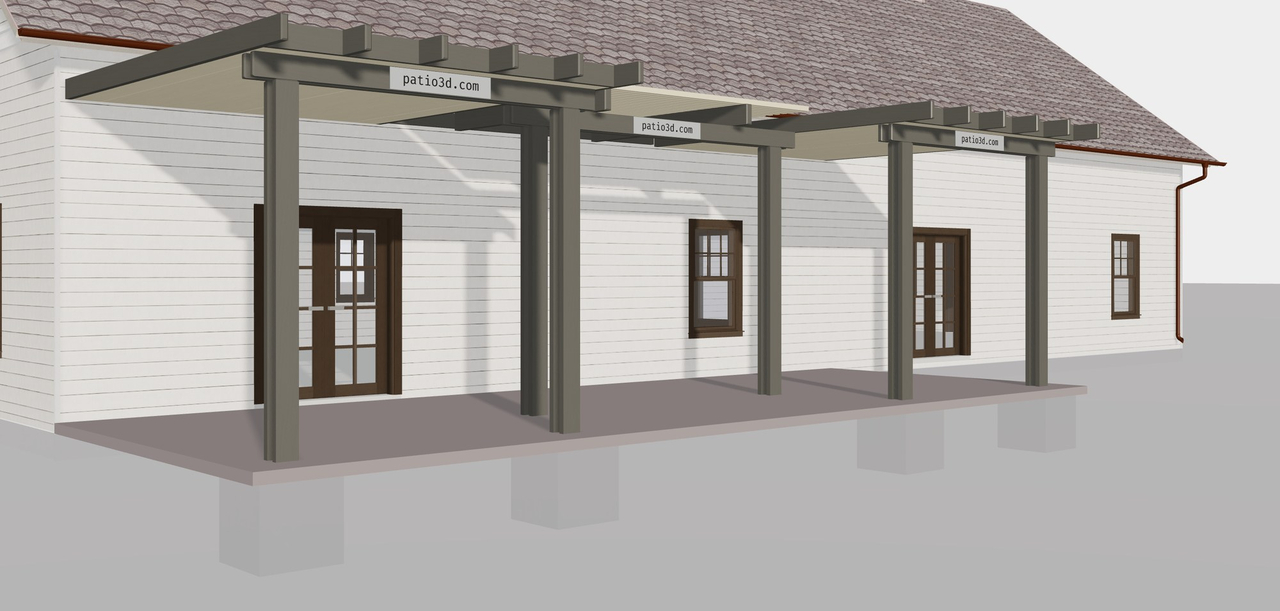
Here’s a U-shaped cover in 3D:
And the AI image Patio3D made from it:
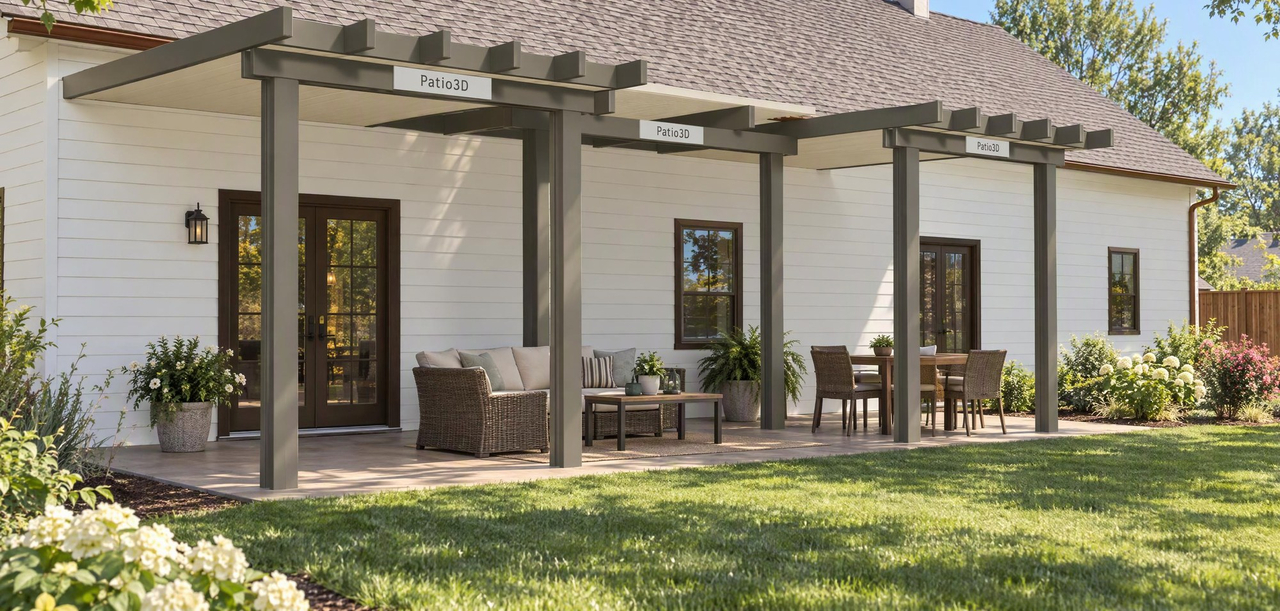
Show customers what their cover will look like, not just something close.
3. Night mode
Select View at night next to fans or lights to see the cover after dark, with every light switched on. Select View in daylight to switch back.
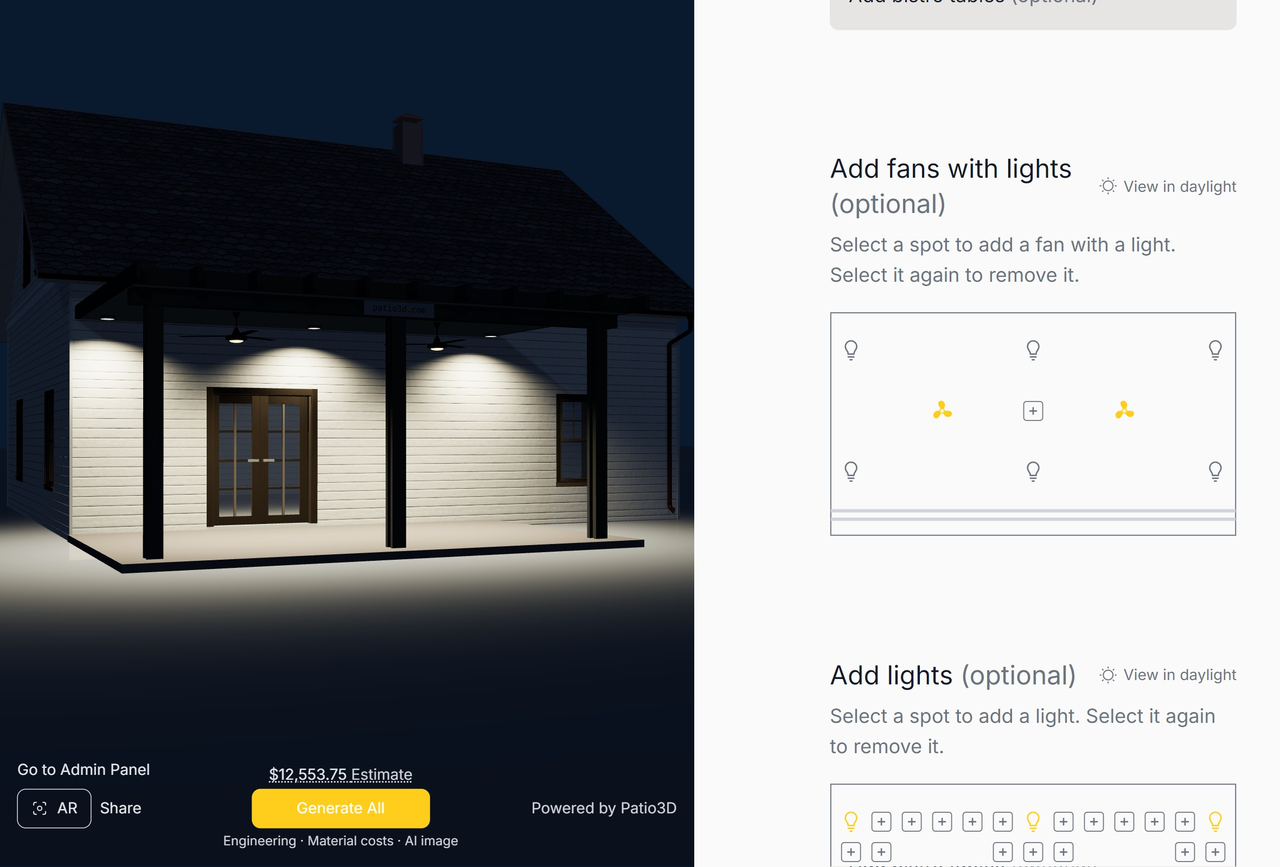
Covers with fans or lights also get a night view in their quote images.
4. Place fans and lights anywhere
Fans and lights are no longer just a count. Select any spot on the roof plan to add a fan or a light, and select it again to remove it. The 3D view and estimate update instantly.
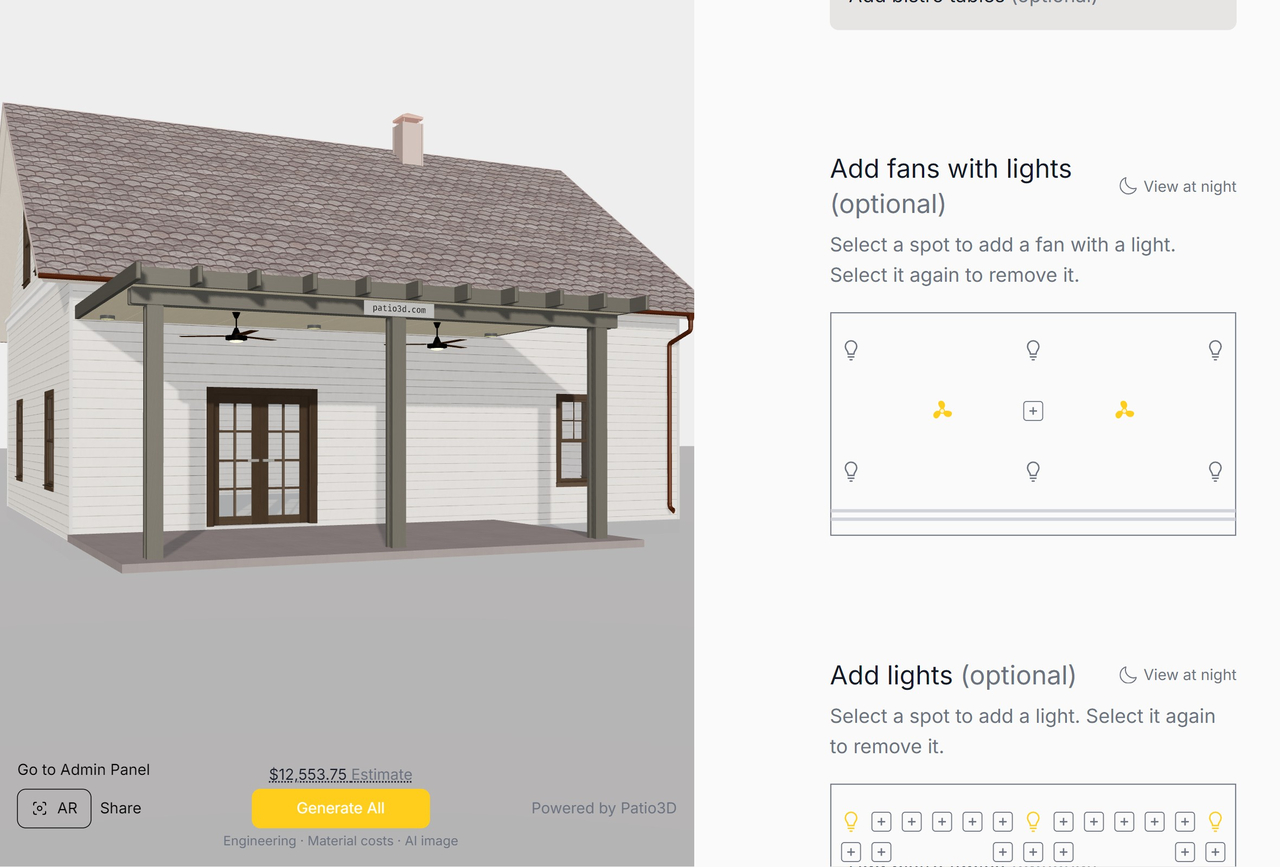
It works on every section of L- and U-shaped covers too. On lattice, fixtures snap to the nearest bay.
5. Curved lattice corners
Lattice covers can now have curved front corners. Under Choose your lattice shape, pick Curved, and Patio3D trims each lattice tube to follow the curve.
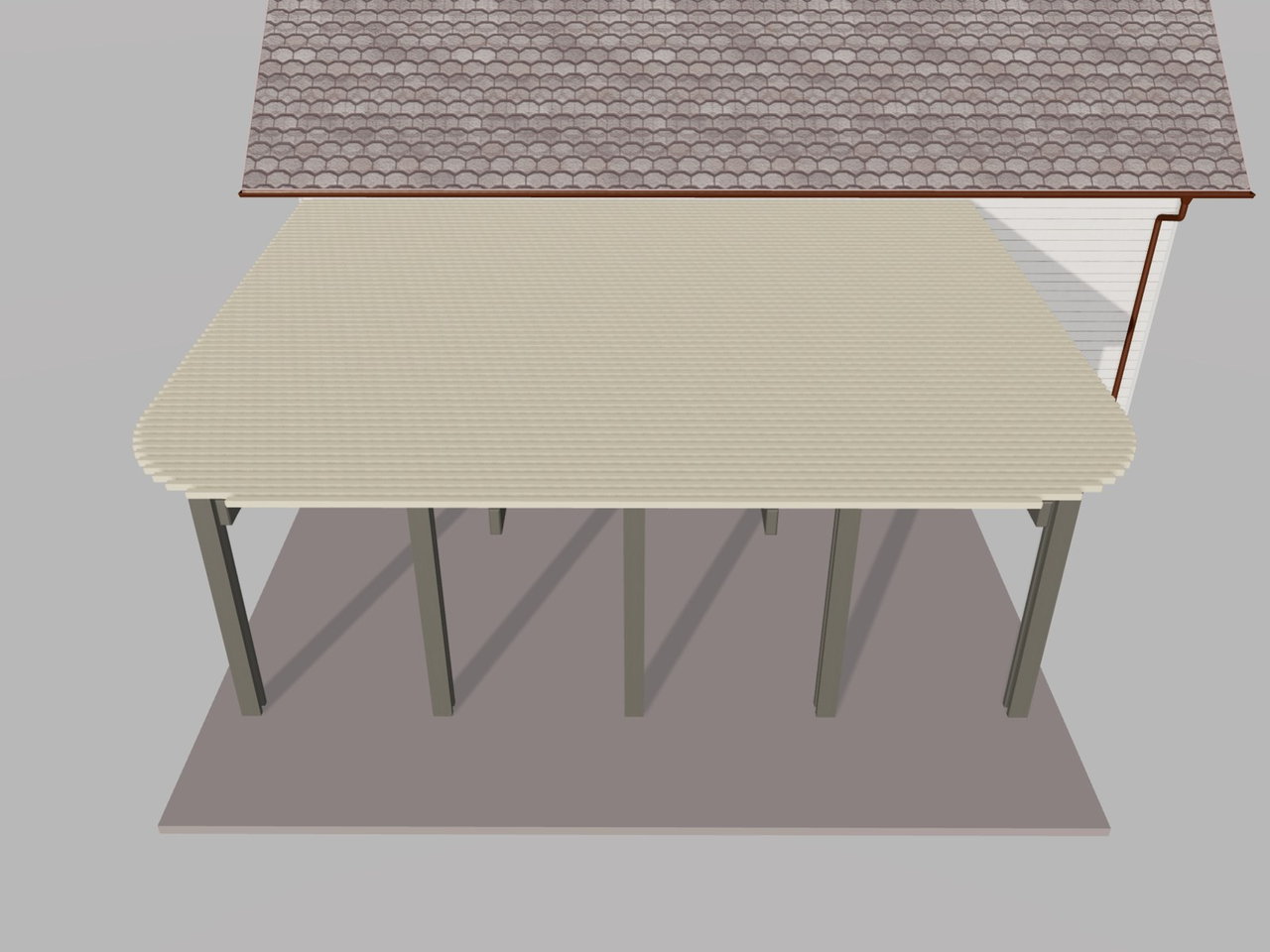
Choose a 2 to 5 ft radius, depending on the cover’s depth. The material list accounts for every cut.
6. Faster loading, especially on mobile
Patio3D now opens faster, especially on phones. It loads only the engineering data each design needs, sends results more efficiently, and uses lighter 3D models for fans, lights, and furniture.
The faster it opens, the more shoppers stay to design and request a quote.
7. Clearer shadows and 3D
Shadows are sharper and scale with the size of the cover, so small and large designs both look crisp. Lattice tubes now match their real lengths exactly.
8. A re-aligned menu
The menu now follows the way a cover is planned: shape and roof type first, then size, attachment, colors, structure, and extras, with more room between sections.
All of this is live now for every Patio3D account.